











How to DJ Hip-Hop and Open Format Sets

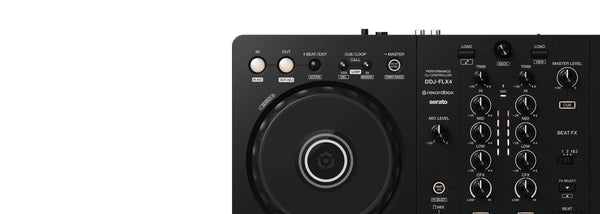
Learning how to DJ hip-hop starts with understanding that the mix is often about short, high-impact transitions. The Pioneer DJ DDJ-REV1 is $419 CAD for new and bedroom DJs who want to practise quick cuts, cue work, and scratch-focused transitions in Serato. Hip-hop and open format sets ask you to move between rap, R&B, dancehall, pop, throwbacks, and dance tracks while keeping a room engaged. This guide covers the prep, transition techniques, tempo changes, stems tricks, and gear choices that help you build that skill.
How Do Hip-Hop DJ Sets Differ From House Sets?
House mixing often gives you long instrumental intros and outros, with two tracks running together for many bars. Hip-hop can work that way, but it usually rewards a more direct approach. Your crowd often wants the recognizable vocal, the hook, and the next record before the first one loses its effect.
Instead of trying to blend every song for a minute, learn to make short, deliberate transitions. Play a verse, let the hook land, then cut to the next tune at the right moment. A clean switch on the first beat of a bar can hit harder than a technically perfect long blend.
- Shorter blends: Let key vocals and hooks breathe, then move before the energy drops.
- Crossfader cuts: Use fast fader movements to switch tracks instead of slowly bringing one channel up.
- Recognizable moments: Start tracks near a famous lyric, chorus, drum intro, or drop.
- Tempo flexibility: Hip-hop commonly sits at slower tempos than dance music, often around 70 to 105 BPM, though double-time counting can make some records feel closer to 140 to 210 BPM.
The important point is that hip-hop DJing is less concerned with keeping two full arrangements locked together for a long time. You are directing attention. A great transition can be a two-second cut if the song choice is right.
How Should You Prepare Hip-Hop and Open Format Crates?
Good preparation gives you time to watch the room instead of hunting through your library. Build crates around tempo, energy, era, and function. A crate called “90s Hip-Hop” is useful, but a crate called “95 BPM singalongs” can be even more useful during a live set.
For each track you plan to play, place cue points at moments you can actually use:
- First vocal: Useful for dropping straight into the lyric people know.
- Hook: Your fastest route to a singalong moment.
- Drop or drum entrance: A clean place to bring in another track, loop, or scratch fill.
- Outro: Helpful for a longer transition when the arrangement allows it.
Organize more than one version of major songs. An explicit version may suit a late bar set, while a clean edit matters at a wedding, corporate event, school function, or all-ages party. Do not assume you can clean up a track on the fly after the chorus has already started.
Energy tags matter as much as BPM. A 90 BPM R&B track and a 90 BPM rap anthem can create very different reactions. Mark records as warm-up, singalong, peak, reset, or closing material. That makes it easier to choose the next song based on the room instead of relying on tempo alone.
What Are the Core Hip-Hop DJ Transitions?
You do not need a bag of complicated tricks. Four moves can carry a full hip-hop set if your timing and selection are solid.
The cut
The cut is the foundation. Start the incoming track on the one, then switch the crossfader quickly so the new record arrives with purpose. You can cut after a vocal phrase, at the end of a hook, or on a drum hit. Practise counting phrases so your cut lands at a natural structural point.
The echo out
An echo can clear space at the end of a record. Apply the effect to the outgoing song, let the repeats decay, and drop the next track into the gap. Keep the effect short and intentional. Too much echo turns every transition into the same transition.
The loop bridge
Loop a short drum section, vocal phrase, or instrumental bar when you need extra time. A loop can extend a playable section while you line up the next song, or it can create a rhythmic bridge between two tracks that do not have matching intros and outros. Make sure the loop supports the groove. A badly timed loop is more distracting than a clean cut.
Scratch fills
A baby scratch moves the record forward and back without using the crossfader. It is a practical starting point because it teaches platter control and timing. Add crossfader cuts once the hand movement feels natural. Use scratches as punctuation, usually in the gap before a drop or between vocal lines. They should sit under the record and support it.
How Do You Change Tempo in Open Format Sets?
Open format DJing is built around changes. You might move from R&B to hip-hop, then jump into pop, dancehall, Afrobeat, or dance music. Trying to beatmatch every transition across a major tempo gap can make the set feel forced.
Use a reset transition instead. Echo or loop out of the outgoing track, create a small moment of space, then cut the next track in on its first beat. The audience hears a purposeful change.
| Situation | Useful move | What to listen for |
|---|---|---|
| Similar tempos | Short blend or quick cut | Compatible drum patterns and phrase endings |
| Large tempo jump | Echo out, then cut on the one | A clear hook or drop in the incoming song |
| Energy is falling | Loop a drum section, then switch tracks | A stronger chorus, vocal, or beat waiting next |
Follow the energy in the room more than the BPM. A crowd that is fully engaged with a 75 BPM rap record may be ready for a 128 BPM dance track if the next song is familiar and the transition has conviction. Your selection and timing tell the room that the change makes sense.
How Can You Use Stems in Hip-Hop DJ Sets?
Stems can make your library feel much larger. Serato DJ Pro Stems separates vocals, melody, bass, or drums in real time, giving you options beyond playing the full track.
Try removing the vocal from an instrumental section before bringing in an acapella from another record. You can also keep drums running under a spoken intro, isolate a vocal for a quick call-and-response moment, or create a cleaner exit before a tempo change. Use these moves sparingly. If the crowd wants the original chorus, give them the original chorus.
The Pioneer DJ DDJ-REV7 supports Serato Stems with the latest firmware and Serato DJ Pro. Its controls include Stems Mute, Stems Separate, and Stems Level functions, which make vocal and instrumental ideas easier to perform without digging through software menus.
How Do You Read the Room as a Hip-Hop DJ?
Watch how people behave as well as what they request. Are people singing the hook? Are they moving closer to the floor? Did the last two songs clear space? Those reactions matter more than a track being popular online.
Give a strong record enough time to work. If the floor reacts to the first hook, you may have room for another verse. If people lose interest after the recognizable part, make your next move sooner. Avoid changing direction every 30 seconds just because you can. A good open format set has contrast, but it still has a thread.
Keep a few reliable records ready for recovery. These are songs that pull people back after a risky selection, a tempo switch, or a request that did not land. The best DJs are not people who never misread a room. They notice quickly, then make the next record count.
What Setup Should You Start With?
Start with a setup that lets you practise the skills you plan to use in public. If you are learning cue points, short transitions, and basic scratching at home, a compact battle-style controller makes more sense than buying a large club setup you do not yet understand.
Spend time on four drills before chasing effects. First, cut between two tracks on the one. Second, practise dropping a hook after a one-bar loop. Third, echo out of a song and start a new track at a different tempo. Fourth, cue the incoming track in one ear while listening to the room mix in the other.
For events, plan around the job. A wedding DJ may need several microphones and control over a PA system. A turntablist may prefer real platters and a scratch mixer. Good headphones are essential in both cases because you need to hear your cue point clearly in a loud booth. Blackout Audio is Toronto-based and ships across Canada, with free shipping on orders over $199 CAD.
Recommended Gear for Hip-Hop and Open Format DJs


Pioneer DJ DDJ-REV1
The Pioneer DJ DDJ-REV1 is $419 CAD for new and bedroom DJs who want to learn hip-hop cuts, cue-point drops, and basic scratch technique in Serato DJ Lite. Its battle-style layout places the tempo sliders horizontally above the decks, echoing a turntable battle position, while the performance pads and effects levers sit close to the mixer section.
The larger jog wheels give you more room for scratch movements, and Tracking Scratch returns playback to a cue point when you move the jog backward. It has a two-channel mixer, a built-in soundcard, and a rear 1/4-inch microphone input for simple MC duties. This is the sensible starting point if you want to learn transitions before spending professional-controller money.
Pioneer DJ DDJ-REV7
The Pioneer DJ DDJ-REV7 is $2949 CAD for working DJs and serious turntablists who want motorized platter feel, professional scratch controls, and Serato DJ Pro in one performance setup. Its 7-inch motorized jog wheels use interchangeable slip sheets, while the acrylic top plates are designed to respond like vinyl.
The MAGVEL FADER PRO crossfader is built for sharp cuts, and the controller includes 22 Beat FX, performance pads, and four Instant Scratch buttons with built-in samples. Dual USB Type-B connections support laptop changeovers, which is useful for back-to-back sets. Choose this if scratching is central to your style and you want a controller that keeps the hands-on feel of a platter setup.
Roland DJ-707M
The Roland DJ-707M is $1349.99 CAD for mobile and open format DJs who need to run music, microphones, and event sound control from one portable unit. It combines a four-channel Serato DJ Pro controller with a live sound console, making it a strong fit for weddings, private events, and entertainment work.
Its three output zones have independent management, and the unit includes automatic feedback suppression to help keep spoken vocals under control in difficult rooms. Two rear XLR microphone inputs have independent processing, while two front aux inputs can also switch to mic mode. It also has dual USB-B ports for two-computer changeovers. If your job includes announcements and PA management alongside DJing, the DJ-707M earns its price.
Technics SL-1200MK7
The Technics SL-1200MK7 is $1399.99 CAD for DJs who want to learn hip-hop mixing and scratching on a real direct-drive platter. Pair it with a suitable mixer and you get the physical record control that shaped classic turntablism.
The turntable has a coreless direct-drive motor, adjustable starting torque and brake speed, plus reverse playback support. Its familiar SL-1200-style layout and S-shaped aluminum tonearm suit DJs who want a traditional deck for cueing, back-cueing, and scratch practice. Buy a pair if you are committed to a two-turntable setup, since one deck alone cannot deliver full two-record mixing.
Pioneer DJ DJM-S5
The Pioneer DJ DJM-S5 is $1349 CAD for DJs building a platter-based hip-hop rig who need a focused two-channel scratch mixer for cuts, effects, and Serato DJ Pro performance. It includes Serato DJ Pro and runs entirely over USB, so there is no separate power supply to manage.
Its MAGVEL FADER PRO crossfader has adjustable feeling and is designed for sharp cutting. Two effects levers control 57 Serato effects, while Scratch Cutter creates rhythm-synced cut patterns as you move a control vinyl or jog wheel. It can also operate as a standalone analog mixer with line and phono sources. This is a practical match for SL-1200MK7 players if your priority is crossfader technique.
Sennheiser HD 25
The Sennheiser HD 25 is $199 CAD for DJs who need clear cue monitoring in loud booths, bars, and event rooms. Its closed-back on-ear design provides strong passive isolation, and the rotating ear cup lets you monitor with one ear while keeping the other on the room.
The detachable single-sided cable and field-replaceable parts make sense for a headphone that will travel often. At 140 g, it is also light enough for long sets. You do not need flashy headphones to DJ well, but you do need a dependable way to hear your incoming track. The HD 25 remains a straightforward working choice.
Frequently Asked Questions
How do you DJ hip-hop without long blends?
Use cue points at the first vocal, hook, and drop. Let the key section play, then cut the next record in on the one, echo out of the first track, or use a short loop to create a bridge. Focus on phrase timing and song choice before trying complex transitions.
What BPM is hip-hop for DJing?
Hip-hop commonly sits around 70 to 105 BPM, though many DJs count some tracks in double time. BPM is useful for organizing crates, but energy and song familiarity matter more during an open format set.
Do I need turntables to DJ hip-hop?
No. A battle-style controller such as the DDJ-REV1 gives you a practical way to learn cuts, cue points, and basic scratch movements. Turntables are the better path if you specifically want traditional platter control and deeper turntablism practice.
How do open format DJs change genres?
Use a clean reset when tempos or drum patterns clash. Echo or loop out of the outgoing record, then cut the next song in at its first beat. Choose the next track for what will lift the room, even when the BPM does not match exactly.


