

















How to DJ With Stems

Stems-ready DJ gear in this guide runs from $1,649 to $3,499 CAD. This is for DJs who want to pull vocals, drums, bass, or musical parts out of a finished track during a set, then use those pieces for cleaner transitions, mashups, and live edits. You do not need to become a turntablist or rebuild every track in advance. You do need to understand what the software is separating, where the limits are, and how to avoid turning a good mix into a messy one.
What Are DJ Stems?
Stems are separated parts of a finished song. DJ software analyses the full stereo track and creates controllable sections such as vocals, drums, bass, and instruments. You can then mute, solo, lower, or isolate those sections while the record is playing.
That changes the role of a track in your library. Instead of treating every song as one fixed file, you can use its parts in different ways. Pull the vocal out for an instrumental blend. Kill the bass before bringing in another bassline. Keep a drum groove running while you introduce a new track's melody.
Stems are separated by software from the finished stereo track. The software is making its best attempt to identify each element in a completed master. Results can be very convincing, especially on clean modern productions, but they are not perfect on every track.
- Vocal or acapella: Useful for mashups, call-and-response moments, and extended blends.
- Drums: Useful for swapping grooves or creating a stripped-back transition.
- Bass: Useful for preventing two low ends from fighting each other.
- Instrumental or melody: Useful for removing a vocal while keeping the musical bed, or making room for a new hook.
The best way to think about stems is as a performance tool. They give you options at key moments. They do not make every transition better by default.
Which DJ Software Supports Stems?
Three current ecosystems matter for this guide: Serato DJ Pro, rekordbox 7, and Engine DJ. Their workflows differ, and that difference should affect the hardware you choose.
| Software | How it handles stems | Parts you can control |
|---|---|---|
| Serato DJ Pro | Separates tracks in real time during performance | Vocals, melody, bass, drums |
| rekordbox 7 | Enable STEMS in Preferences, then select the separation mode | 3 Stems: vocal, instrumental, drums. 4 Stems: vocal, instrumental, bass, drums |
| Engine DJ | Renders stems in Engine DJ Desktop 4.2 or later, then plays them on compatible hardware | Stem controls depend on the compatible hardware |
Serato DJ Pro
Serato DJ Pro separates vocals, melody, bass, and drums in real time. That makes it appealing for open-format DJs who want to react quickly to a crowd, grab an acapella for a hook, or switch the drums during a quick transition. A controller with dedicated stem controls matters here because reaching for laptop controls in the middle of a mix is slower and less musical.
rekordbox 7
In rekordbox 7, go to Preferences, Extensions, then the STEMS tab. You can select a three-part mode with vocal, instrumental, and drums, or a four-part mode that adds a separate bass control. Stem control requires a supported plan or a Hardware Unlock device. The DDJ-FLX10 is among the hardware with the function mapped.
The four-part option is especially useful if you play house, techno, hip-hop, or pop edits where low-end management decides if a blend works. Separating bass gives you a direct way to keep only one kick-and-bass foundation active.
Engine DJ
Engine DJ takes a prepared approach. Render the stems in Engine DJ Desktop 4.2 or later, then use them on compatible Engine DJ hardware. The PRIME 4+ and PRIME 4 G2 get stems free. Other compatible Engine hardware uses a one-time Engine DJ Stems licence listed by Engine DJ at $9.99 USD.
Prepared stems suit DJs who build playlists before a gig and want their performance system to stay focused on playback and control. The Denon DJ PRIME 4 G2 also renders stems directly on the hardware and gives you dedicated access to key stem functions.
How to Use Stems in a DJ Set
Start with simple moves. Stems can get busy fast, so each change should have a clear purpose in the mix. Practice these five before trying a full live mashup.
- Put an acapella over an instrumental. Mute the incoming track's vocal, then bring in a vocal from the outgoing song over the new instrumental. Check the phrasing and key first. A great vocal over the wrong chords still sounds wrong.
- Swap the drums. Keep the musical part of one track playing while introducing the drums from the next. This works well when the two tracks share a similar energy but have different rhythmic character.
- Swap the bass. Do not run two full basslines together for long. Mute or lower one bass stem, then bring in the other track's low end. Your mix stays clearer and the new record lands with more impact.
- Build a drums-only intro. Strip the outgoing track down to drums, then layer the next record over that rhythm. It creates space for a gradual entry without losing momentum on the dancefloor.
- Mute vocals through a long blend. Two complete songs can fight for attention, particularly in pop and vocal house. Remove one vocal while the tracks overlap, then bring it back at a phrase change or drop.
Phrase awareness still matters. Stems do not fix a transition that starts at the wrong point in the arrangement. Count your bars, watch for verse and chorus changes, and use the stem change to support the structure already in the music.
What Are the Limits of DJ Stems?
Stem separation can leave audible artefacts. You may hear warbling, thin high frequencies, fragments of a vocal, or a slightly unstable cymbal sound after isolating a part. Dense mixes, heavy effects, old recordings, and tracks with similar elements sitting in the same frequency range can be harder for software to separate cleanly.
Use stems for short moments in your set. A short acapella switch, a bass mute before a drop, or a four-bar drum exchange can sound exciting. Leaving a separated vocal soloed for minutes can expose every flaw.
- Preview important stem routines before playing them in public.
- Check musical key before combining an acapella with another instrumental.
- Keep one bassline active at a time unless you deliberately want a chaotic effect.
- Have a normal EQ transition ready if a separation result sounds rough.
- For real-time workflows, use a capable computer. rekordbox warns you if memory runs short.
Good stem DJing is selective. The audience should hear a confident transition or a surprising hook.
How to Choose Hardware for DJ Stems
Choose your software first, then buy hardware that gives you direct stem control in that ecosystem. A $1,649 CAD controller such as the Pioneer DJ DDJ-REV5 suits Serato DJs who want hands-on separation for battle-style routines and open-format edits. A $3,499 CAD standalone system such as the Denon DJ PRIME 4 G2 suits DJs who want stem performance without bringing a computer to every set.
Look for dedicated controls that match how you actually mix. Mute and solo buttons are useful for quick transitions. Per-stem level control gives you more precise balancing. A stem split function can make an acapella-plus-instrumental routine easier to manage across mixer channels.
Also consider your set format. If you play short, fast transitions, quick vocal or drum mutes may be enough. If you perform longer blends, mashups, and genre jumps, a four-channel layout and deeper stem routing give you more room to work.
Recommended DJ Controllers for Stems


Pioneer DJ DDJ-REV5
The Pioneer DJ DDJ-REV5 is $1,649 CAD for Serato DJs who want immediate stem control for battle-style mixing, edits, and live mashups. It separates vocals, melody, bass, and drums in Serato DJ Pro, placing the core stem actions directly on the controller rather than behind a laptop screen.
Stems Mute/Solo lets you remove or isolate parts quickly. Stems Separate sends parts onto different decks for live remix work, while Stems Level uses the EQ knobs to adjust each stem's volume. That is a practical layout for the bass swap and acapella routines covered above. It also includes licences for Serato DJ Pro and rekordbox, with rekordbox stem control covering vocals, drums, and instruments.
Pioneer DJ DDJ-FLX10
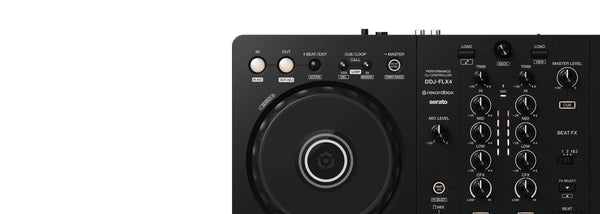
The Pioneer DJ DDJ-FLX10 is $2,399 CAD for DJs who want to learn stems in either rekordbox or Serato DJ Pro while retaining a four-channel performance layout. Its Track Separation controls handle vocals, drums, and instruments, making it a strong choice for DJs whose software preference may change over time.
Dedicated colour-coded buttons identify the active parts, while Active Part and Part ISO let you adjust stem level or mute a part completely. FF Part Select chooses which stems receive effects, a useful option for adding echo to a vocal without washing out the whole song. Part Instant Doubles can isolate a stem and transfer it to another deck for more involved remix ideas.
Denon DJ PRIME 4 G2
The Denon DJ PRIME 4 G2 is $3,499 CAD for DJs who want a standalone four-deck system that can render and perform with stems directly on the hardware. It is aimed at performers who want to leave the laptop out of the booth while keeping acapella, instrumental, and deeper stem manipulation close at hand.
Dedicated Instrumental and Acapella buttons make the most common moves fast. Its four-part Stems pad mode includes effects, and Stem Level EQ helps you shape the balance between separated elements. The system also has stem status displays on its jog wheels, which can help you confirm what is active before you make a transition in front of a crowd.
Rane DJ Performer
The Rane DJ Performer is $2,899 CAD for Serato DJ Pro performers who want motorized platters and detailed stem control for open-format sets. Its dedicated Stems pad mode gives you a direct entry point into Serato's separated parts without changing your basic performance workflow.
RANE's STEM SPLIT automatically places the acapella and instrumental sections across two mixer channels, allowing separate effects treatment. STEM LEVEL turns each channel's three-band EQ into controls for individual elements, so you can adjust, kill, or boost them. That makes it particularly useful for DJs who want to build live edits with fader work, effects, and precise changes to the track's arrangement.
DJ Stems FAQ
Can you DJ with stems on any controller?
No. Your DJ software needs stem support, and the controller needs compatible mapping or practical access to those controls. A controller with dedicated stem buttons and level controls is faster to use than relying on laptop controls during a set.
Do DJ stems sound as good as official acapellas?
Official acapellas are usually cleaner because they come from the original production elements. Software-separated stems can sound very good, but artefacts can appear, especially with dense or heavily processed tracks. Use separation for focused moments and test important tracks before a performance.
How do I stop two basslines clashing in a DJ mix?
Mute or reduce the bass stem on one track before bringing in the other track's bassline. Keep the outgoing drums or vocal playing if they support the transition, but give one low-end foundation priority.
Does rekordbox support four-part stems?
Yes. In rekordbox 7, enable STEMS under Preferences, Extensions, and the STEMS tab. The four-part mode separates vocal, instrumental, bass, and drums. Stem control requires a supported plan or a Hardware Unlock device.


