
















How to Set Up the Akai MPK Mini IV

The Akai MPK Mini IV makes no sound by itself. It plays the software on your computer. This guide gets the included software installed, the keyboard connected to your recording software and the first problems fixed.
How to Set Up the Akai MPK Mini IV
- Install the inMusic Software Center on your computer. This application gives you access to the software included with your MPK Mini IV.
- Sign in with an inMusic Profile. Create an account if needed, then use it to register the keyboard and manage your included software.
- Connect and register the MPK Mini IV. The controller uses USB-C for power and computer connection. Windows recognizes the keyboard as a class-compliant MIDI device.
- Download and activate Ableton Live Lite 12 and Studio Instrument Collection. Studio Instrument Collection runs as a VST3, AU, or standalone instrument and includes access to 1,000 presets.
- Open your music software and create an instrument track. Load a piano, synth, drum kit, or another software instrument onto that track before you start playing.
- Select the MPK Mini IV as a MIDI input in your music software. Your DAW needs to receive note and pad data from the controller. Follow Akai's setup guide for your chosen DAW if you need application-specific directions.
- Choose where you will hear your audio. Use your computer speakers, headphones, or an audio interface connected to your computer.
- Update the firmware before installing a DAW control script. Akai's control scripts require firmware version 1.38 or later. Follow the quick start guide in the box if you need help with the update process.
- Make program edits on the MPK Mini IV itself. The keyboard handles its own program editing, so there is no separate editor application to install.
Common MPK Mini IV Setup Problems
I press keys, but I hear no sound
Load a software instrument onto the active track in your DAW. The MPK Mini IV sends performance instructions to your computer, and your software creates the sound. Also check that your computer speakers, headphones, or audio interface are selected as the audio output.
The keyboard does not play the track in my DAW
Open your DAW's MIDI settings and choose the MPK Mini IV as an input device. The controller can be connected and powered while your software is listening to a different MIDI input.
The controls do not work as expected in Ableton Live or another DAW
Check the firmware version and update to version 1.38 or later before using Akai control scripts. Windows users can also remove an older Akai MIDI driver if one remains on the computer, since it can create MIDI port conflicts.
Our Recommendations


Akai MPK Mini IV Black
The black Akai MPK Mini IV is $119 CAD until 2027 Jan 3, down from $139 CAD, for producers who want a compact keyboard and pad controller for playing software instruments and building beats. Its 25 keys, velocity-sensitive RGB MPC pads, real Pitch and Mod wheels, and eight assignable knobs give you enough hands-on control to move beyond clicking notes into a piano roll. Use it with the included Ableton Live Lite 12 and Studio Instrument Collection to build your first working setup.
Akai MPK Mini IV Grey
The grey Akai MPK Mini IV is $119 CAD until 2027 Jan 3, down from $139 CAD, for new producers who want the same compact songwriting and beatmaking setup in a different finish. It has the same keys, pads, full-colour screen, knobs, Scale Mode, Chord Mode, and arpeggiator as the black version. Pick the colour you prefer and follow the same registration and software setup process.
Warm Audio WA-CAB Closed-Back Studio Headphones
The Warm Audio WA-CAB is $96 CAD until 2026 Nov 30, down from $119 CAD, for MPK Mini IV users who need a focused way to hear their instruments and beats through a computer setup. The closed-back design helps reduce outside distraction, making it useful for home production, late sessions, and detailed sound selection. Its 45 mm drivers and 32-ohm impedance suit a range of audio devices.
Focusrite Scarlett Solo 4th Gen
The Focusrite Scarlett Solo 4th Gen is $199 CAD from 2026 Nov 19 through 2026 Dec 9, down from $219 CAD, for songwriters who want a dedicated headphone output and a path to record vocals or instruments beside MPK Mini IV parts. It includes one microphone input and a dedicated Hi-Z instrument input, so you can record a vocal and guitar together. Its independent headphone level control is useful when you are writing with headphones and need direct control over your listening level.
Akai APC Mini MK2
The Akai APC Mini MK2 is $109 CAD until 2027 Jan 3, down from $129 CAD, for Ableton Live users who want hands-on clip launching alongside the MPK Mini IV keyboard and pads. Its 8 x 8 RGB pad grid and nine assignable faders give you a dedicated surface for launching clips and controlling a Live session. Pair it with an MPK Mini IV once you are comfortable loading instruments and recording MIDI parts in Ableton Live Lite 12.
What the MPK Mini IV Does
MIDI carries performance instructions such as note choice, velocity, pad hits, knob movements, and wheel movements. A software instrument receives that information and produces the sound you hear through your computer speakers, headphones, or audio interface.
This setup has a few separate parts, and understanding them makes the first session much less frustrating:
- The MPK Mini IV captures your playing through keys, pads, knobs, and wheels.
- Your DAW or standalone instrument receives MIDI and hosts the instrument sound.
- Your audio output lets you hear the music through speakers, headphones, or an interface.
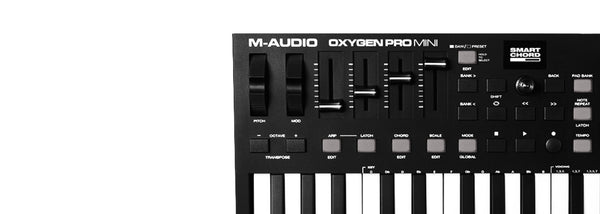
The controller gives you several ways to play and shape ideas. The 25-key layout is useful for basslines, chords, melodies, and small harmonic parts. The RGB MPC pads are suited to finger drumming and triggering drum sounds. Eight assignable rotary knobs put common sound-shaping moves under your hands, while the Pitch and Mod wheels add expression to sustained notes and synth lines.
You can also use the MPK Mini IV to get around common beginner barriers. Scale Mode helps you stay within a selected key, and Chord Mode lets you play harmonies more easily. The enhanced arpeggiator includes Pattern, Arp Freeze, and Mutate functions for rhythmic ideas. These features work best after you have confirmed that the keyboard is sending MIDI and your software instrument is producing sound.
Which Software Works With the MPK Mini IV?
The included Ableton Live Lite 12 is a sensible first DAW because it is available through the same inMusic Software Center setup process. Start by creating one instrument track, loading a sound, selecting the MPK Mini IV as a MIDI input, and playing a few notes. Once that works, create a second track for drums and use the pads to build a beat.
Studio Instrument Collection is another direct route to making sound. It can run as a standalone instrument if you want to play without opening a full DAW. It also works as a VST3 or AU plugin inside compatible software. Its 1,000 presets give you piano, synth, and other instrument sounds to explore while you learn how the keys, pads, and knobs respond.
Akai publishes setup guides and control scripts for the following DAWs:
- Ableton Live and Ableton Live Lite 12 onwards
- FL Studio 2024 onwards
- Logic Pro
- GarageBand
- Cubase
Install the relevant script only after updating the MPK Mini IV to firmware version 1.38 or later. The scripts support direct DAW control and help the controller's transport section work with the supported application. Take the time to follow the guide for your specific software instead of changing controller settings at random.
Studio Instrument Collection is available as VST3, AU, and standalone software. It does not currently have an AAX version for Pro Tools, so Pro Tools users should plan their software instrument choice accordingly.
Your First MPK Mini IV Session
Keep the first session focused. Register the keyboard, install the included software, load one instrument, and make sure you can hear it. Play a simple chord progression or melody before digging into pad assignments, knob mapping, and deeper controller functions.
After the keys are working, add a drum track and trigger drum sounds with the RGB pads. Record a short pattern, then add a bass or chord part. This gives you a small project where the core parts of the setup are all working together: MIDI input, software instruments, audio monitoring, and recording.
Headphones are useful if you share a space or make music at night. An audio interface is the next practical addition if you want a dedicated headphone output or want to record a microphone or instrument into the same project. For Ableton Live users, an APC Mini MK2 expands the performance side of the setup by putting clip launching on a separate pad grid.
MPK Mini IV FAQ
How do I get sound from an Akai MPK Mini IV?
Load a software instrument in a compatible application, select the MPK Mini IV as a MIDI input, and choose your computer speakers, headphones, or audio interface as the audio output.
Does the Akai MPK Mini IV need a driver on Windows?
The MPK Mini IV is class-compliant on Windows and does not need a MIDI driver. An older Akai MIDI driver can create MIDI port conflicts.
What software comes with the Akai MPK Mini IV?
The MPK Mini IV includes Ableton Live Lite 12 and Studio Instrument Collection. Access them through the inMusic Software Center after signing in with an inMusic Profile and registering the keyboard.
Can I use the MPK Mini IV with Pro Tools?
The MPK Mini IV can send MIDI to Pro Tools. Studio Instrument Collection runs as VST3, AU, or standalone software and does not currently have an AAX version for Pro Tools.


