














Hardware Synth vs VST Plugin: Which Should You Buy?

At $899.99 CAD, the Arturia MiniFreak is for producers and keyboard players who want to shape sounds with their hands while keeping a capable synth ready for studio tracks and live sets. Its included MiniFreak V plugin makes it a useful case study, because you can create or edit the same patches on hardware or inside your DAW. The alternative is buying MiniFreak V alone for $280.99 CAD if you want the sound without keys, knobs, or another box on your desk. The hardware synth vs VST decision comes down to how you like to play, write, edit, and finish music.
What Is a Hardware Synth and a VST Plugin?
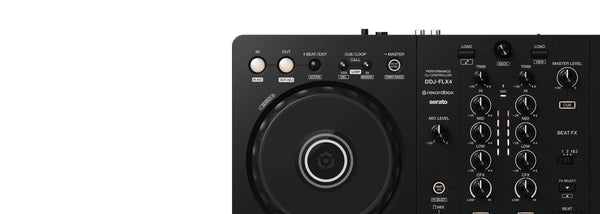
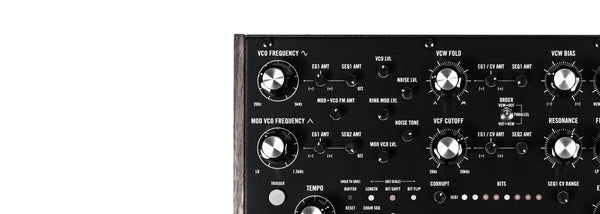
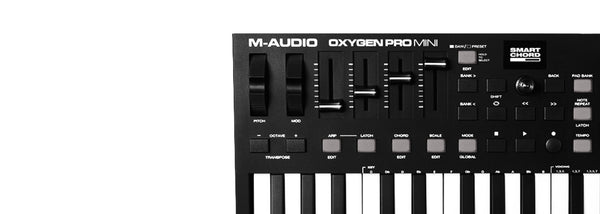
A hardware synthesizer is a physical instrument with its own sound engine, controls, power supply, and audio outputs. You play it directly, store sounds on it, and connect it to speakers, a mixer, audio interface, or other hardware. A keyboard synth also gives you an immediate instrument for writing chord parts, bass lines, hooks, and textures without opening your DAW.
A VST plugin is software that runs inside a compatible DAW, or sometimes as a standalone application. VST is one plugin format. AU is used by many Mac applications, while AAX is used with Pro Tools. Software synths can sound excellent, but they depend on a computer, compatible software, and enough CPU power to run the patch and project session.
The basic difference is simple. Hardware puts the instrument in front of you. A plugin places the instrument inside your production environment. Neither approach is automatically better. The right choice depends on your workflow.
- Hardware synths suit players who want keys, knobs, physical controls, and an instrument that can be used without a computer.
- Plugins suit producers who work mainly in a DAW and need many sounds available inside one project.
- Hybrid setups suit producers who want hardware for performance and sound design, plus software recall for arranging and mixing.
Hardware Synth vs VST Comparison
| Buying factor | Hardware synth | VST plugin |
|---|---|---|
| Playing feel | Physical keys, knobs, buttons, and dedicated controls encourage direct performance. | Usually played with a MIDI controller, computer keyboard, or drawn into a piano roll. |
| Hands-on sound design | Best for quick parameter changes and learning how synthesis controls affect a sound. | Can offer deep visual editing, but mouse-driven editing is often slower during performance. |
| Cost per sound | Higher upfront cost, usually focused on one instrument and its sound engine. | Lower entry cost in many cases, with a large library of sounds and multiple instances. |
| Preset recall | Sounds are saved on the instrument, though project recall can require manual patch management. | Settings can be saved directly with your DAW session for easy project recall. |
| Number of synth parts | One instrument has a fixed voice count and multitimbral capability, if included. | You can open multiple plugin instances until your computer reaches its CPU limit. |
| Computer dependence | Can be played and programmed away from the computer. | Needs a computer and compatible host software for a normal production workflow. |
| Portability | Requires physical space, power, and audio connections, though compact and battery-powered options exist. | Travels with your laptop and license, with no extra instrument case required. |
Why Do Hardware Synths Feel Different to Play?
A hardware synth keeps your attention on sound and performance. You reach for a filter cutoff knob, move it while holding a chord, then record the result. That physical relationship matters. It can lead to parts you would not have programmed by clicking automation lanes after the fact.
Hardware is especially useful if you are still learning synthesis. A panel with oscillator, filter, envelope, modulation, and effects controls makes the signal path easier to understand. You hear what happens when you change one setting, then you build a mental connection between the control and the result.
The Arturia MiniFreak is a clear example. You can use its two digital oscillator engines per voice, adjust its analog Steiner-Parker filter, and program its 64-step polyphonic sequencer without needing a computer screen. That makes it a strong writing instrument as well as a sound source.
Hardware also earns its cost in live situations. You are not relying on a laptop session, plugin scan, audio driver, or CPU meter just to play a lead line. A well-practised patch layout can be faster and more reliable on stage than reaching for a trackpad.
When Do VST Plugins Make More Sense?
Plugins win on value when you need a lot of synth parts in a single production. You can load a bass patch, pad, arpeggio, lead, and sound effect in separate tracks, then save all their settings inside the project. Open the session next month and the sounds return with the arrangement.
This is called total recall. It is one of the best reasons to work with software synths. You do not need to remember which patch was loaded on an external instrument or take photos of panel settings. Your DAW session handles it.
Plugins also make sense if desk space is limited or you produce while travelling. A laptop, headphones, audio interface, and small MIDI controller can form a complete writing setup. You can work quietly, save ideas quickly, and carry a wide range of synth sounds without transporting several keyboards.
There is a tradeoff. Some detailed software instruments can put real pressure on your computer. u-he Diva is an honest example. Its analog-modelled architecture is designed for a convincing vintage character, but it has a high CPU hit. A modern computer may handle it well in modest sessions, while a dense project with many Diva instances can demand track freezing, bouncing, or lower quality settings during writing.
What Does the MiniFreak Hardware and Plugin Pair Show?
The MiniFreak hardware and MiniFreak V make the hybrid argument unusually clear. Register the hardware MiniFreak and MiniFreak V is included. Arturia states that the hardware and plugin use the same presets, and patches can be edited on either version. MiniFreak V runs standalone or as a VST, AU, or AAX plugin.
That means you can build a sound at the MiniFreak's controls, record the hardware in a live take, then open the same patch inside your DAW for arrangement work. You can also write with the plugin while travelling, then move the patch back to the instrument for rehearsal or performance.
This does not mean hardware and software are identical experiences. The MiniFreak hardware gives you 37 slim keys with aftertouch, a sequencer, and direct controls. MiniFreak V gives you the convenience of DAW integration and multiple software instances. The sound palette can move between both worlds, while the workflow stays distinct.
How Should You Choose for Your Setup?
Buy hardware first if playing is central to your process. If you write with your hands, perform live, enjoy building patches by ear, or need time away from the computer, a synth with a good control layout can change how often you make music. It is expensive compared with one plugin, but it can become a regular instrument rather than another window in your DAW.
Choose a VST first if you mostly arrange, mix, and produce inside your computer. You will get easier project recall, the option to run many parts at once, and access to a large sound palette without filling your room with gear. Budget for a MIDI controller if you want expressive playing.
A hybrid setup is often the practical answer. Use a hardware synth for performances, fast ideas, and tactile sound design. Use plugins for layered arrangements, recall, and sounds that need to stay tied to a project. If you want one instrument that bridges both approaches, the MiniFreak and MiniFreak V pairing is hard to ignore.
Our Recommendations


Arturia MiniFreak Polyphonic Hybrid Synthesizer
At $899.99 CAD, the Arturia MiniFreak is for producers and players who want a hands-on instrument for writing, sound design, studio recording, and live performance. It is the strongest example here of why hardware can be worth the higher entry price. You get two digital oscillator engines per voice feeding an analog Steiner-Parker filter, plus a 64-step polyphonic sequencer for building ideas without opening a DAW.
The 37 slim keys include aftertouch, which gives you a more expressive route into leads, pads, and evolving sounds than basic MIDI programming. MiniFreak V is included, so the hardware purchase also gives you a plugin version for DAW recall and patch editing. For a producer who wants both physical control and software flexibility, this pairing makes a serious case for spending more on hardware.
Arturia MiniFreak V License
At $280.99 CAD, MiniFreak V is for producers who want the MiniFreak sound engine inside a DAW without buying a keyboard instrument. It handles the software side of the hardware synth vs VST choice well: you can run it standalone or as a VST, AU, or AAX plugin, save it with projects, and use it in a laptop-based production setup.
This is the sensible choice if you already own a MIDI controller and care more about recall, arrangement, and working inside your session than dedicated hardware controls. If you later move to MiniFreak hardware, the shared preset system gives you a clean path into a hybrid workflow.
Korg microKORG 2 Synthesizer/Vocoder
At $849.99 CAD, the Korg microKORG 2 is for musicians who need a compact hardware synth for rehearsals, live use, quick writing sessions, and portable sound design. Its battery-powered operation lets you play it away from the desk with no computer or wall outlet.
The virtual analog engine supports up to eight voices in single mode, and the included gooseneck microphone connects directly to its vocoder and vocal processor. Its loop recorder is useful for building layered ideas during practice or performance. The microKORG 2 is a good fit if you want hardware portability without moving into a large 61-key instrument.
Roland JUNO-X 61-Key Polyphonic Synthesizer
At $2,799.99 CAD, the Roland JUNO-X is for keyboard players and producers who want a full-size centrepiece instrument for stage work, writing, and studio sessions. This is a costly hardware purchase, but it covers a lot of musical ground with JUNO-X, JUNO-60, and JUNO-106 sound models, plus sounds drawn from the XV-5080 and Roland RD-series pianos.
The 61-key keyboard includes channel aftertouch, and built-in stereo speakers let you practise without connecting external monitors. Bluetooth audio and MIDI also make it easier to integrate with a phone or wireless MIDI setup. Buy the JUNO-X if you want a playable Roland instrument with a wide sound palette.
u-he Diva
At $249 CAD, u-he Diva is for producers chasing detailed analog-style sounds inside their DAW without paying for several vintage-inspired hardware instruments. Its oscillators, filters, and envelopes can be mixed and matched, letting you create combinations that would require multiple physical synths.
Diva has a high CPU hit. That is the deal. Its sound design approach is demanding on a computer, especially in busy projects with multiple instances. If your computer is capable and you are happy freezing or bouncing tracks in larger sessions, Diva gives you a deep analog-modelled option at a much lower cost than collecting equivalent hardware.
Arturia Pigments 7
At $351.99 CAD, Arturia Pigments 7 is for producers who want a wide sound design toolkit inside one plugin for tracks, cues, electronic production, and experimental textures. It offers modal, granular, wavetable, sample, harmonic, and virtual analog synthesis, making it a broad alternative to buying several hardware synths for different synthesis methods.
Pigments 7 runs standalone or as a VST, AU, or AAX plugin, so it fits neatly into common DAW workflows. This is a strong software choice if you want to explore different synthesis approaches while keeping presets, automation, and sessions inside your computer. It will not replace the feel of a knob-per-function instrument, but it gives you a lot of ground to cover for the price.
Hardware Synth vs VST FAQ
Do hardware synthesizers sound better than VST plugins?
Not automatically. Hardware and plugins can both produce excellent results. Hardware can change how you perform and shape a sound in real time, while plugins offer easy recall and many instances in one project. Choose based on workflow, playing needs, budget, and the specific instrument's sound.
Can I use a hardware synth with a DAW?
Yes. You can record a hardware synth's audio into your audio interface and use MIDI to sequence it from your DAW. The main difference is recall: you may need to save the patch on the synth and keep track of its settings alongside your project.
Is MiniFreak V included with the Arturia MiniFreak hardware?
Yes. MiniFreak V is included once the MiniFreak hardware is registered. The hardware and plugin can use the same presets, and you can edit patches on either version.
How many VST synths can I run at once?
You can run multiple VST synth instances, but the practical limit depends on your computer's CPU resources, the plugin, patch complexity, effects, and the rest of your session. CPU-heavy plugins such as u-he Diva may require freezing or bouncing tracks in larger projects.


